A wedding budget that counts itself
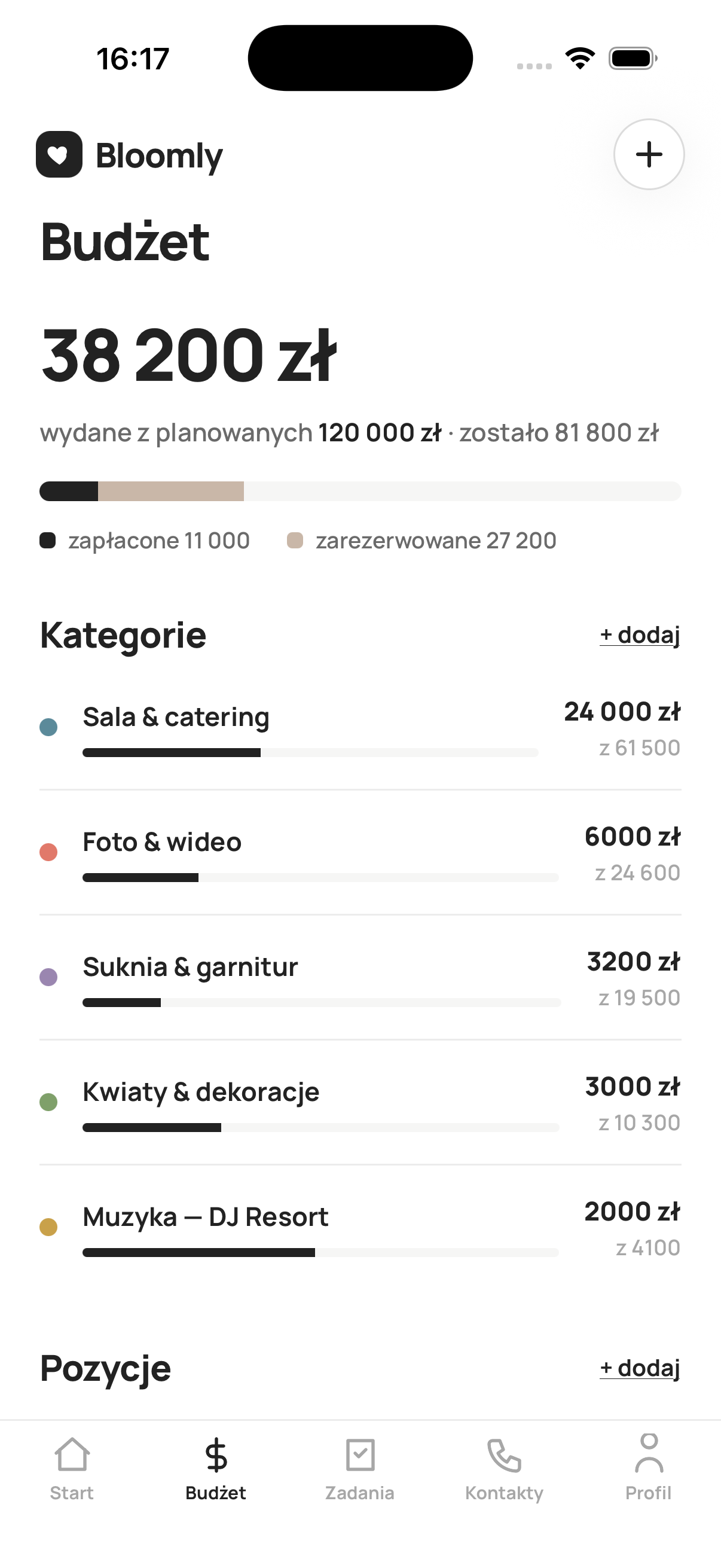
Planned vs spent, live. Add an invoice and Bloomly instantly shows what's left and where the money goes.
- A ready budget split by category
- Deposits, due dates and family contributions
- Balance and income in one view
Budget, guests, vendors and tasks in one app instead of a spreadsheet, notes and five group chats. Plan it together, each on your own phone.
No more spreadsheets, sticky notes and a chat in five places. Budget, tasks, guests and vendors live in one app, and the totals add up by themselves.
Planned vs spent, live. Add an invoice and Bloomly instantly shows what's left and where the money goes.
A ready plan from 18 months out to the wedding day, with due dates and reminders. You know what's now and what can wait.
Guests RSVP online and choose their meal, and you seat them at the tables.
Three tracks at once: the bride's morning, the groom's and the shared part. Who, where and when.
Quotes from a photographer or DJ side by side: price, deposit, hours. You choose calmly.
Date, budget, ceremony type and venue. Bloomly lays out your tasks up to the wedding day and splits the budget into categories.
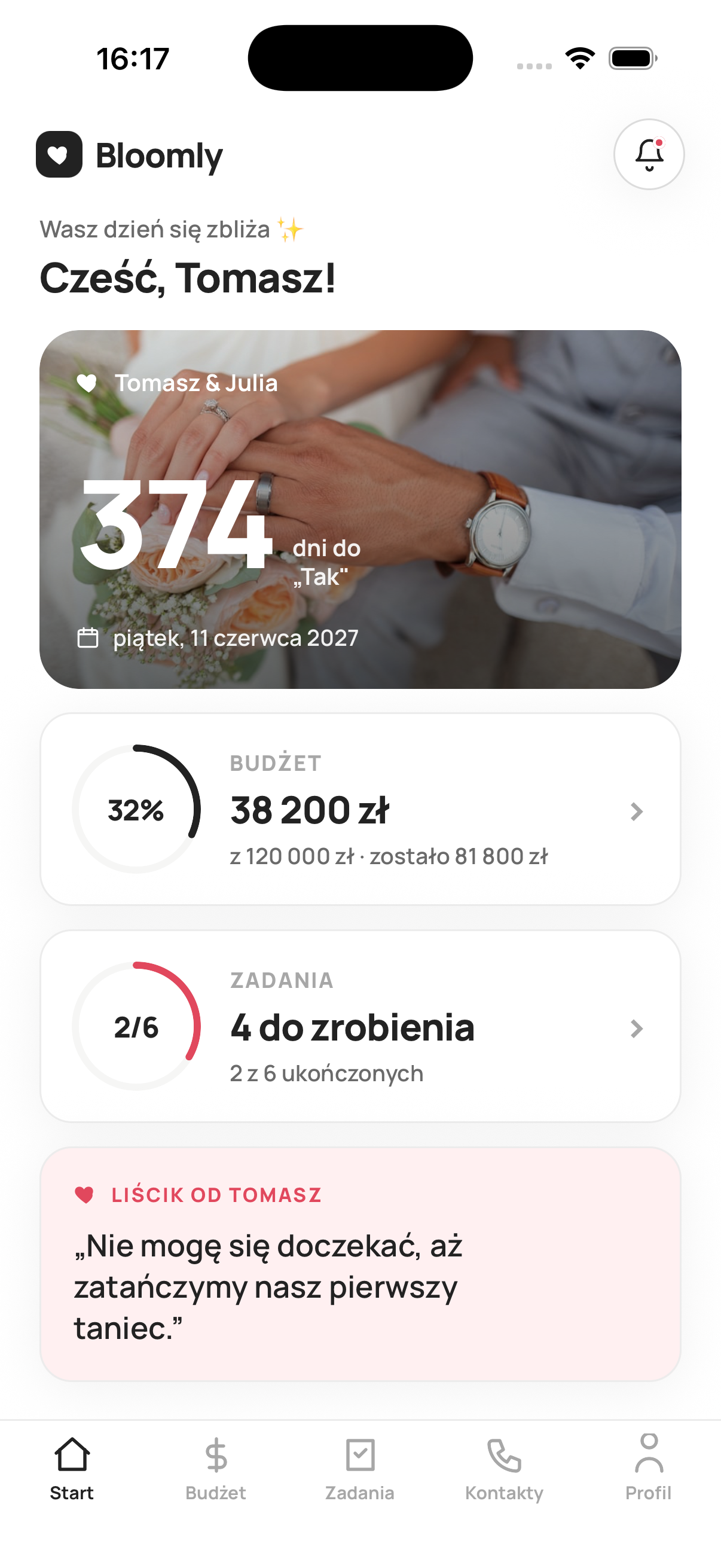
You both see the same plan. Tick off tasks and add expenses, and changes sync for both of you.
Print the code for the tables. Guests take photos and play bingo in the browser, and the shared album fills up by itself.
“We're building Bloomly as a couple, for couples like you. We want planning to feel light, and your guests' photos to land in one album.”
No. Guests scan a QR code with their phone camera and land straight in the album, the disposable camera and bingo, all in the browser. Nothing to download, no account to create.
They stay in your album in the app after the wedding too. Without Bloomly Pro each guest can add up to 20 photos or videos; with Pro there's no limit.
Yes. Bloomly is a shared account for the couple: you both see the same budget, task list and guests in real time, each on your own phone. A change by one of you shows up instantly for the other.
No. You get full access free for the first 3 days. After that, Bloomly Pro is a single payment for your wedding, no subscription. If you don't buy Pro, your data stays and you can still see it, but editing needs Pro.
Yes. Data is encrypted, and your budget and guest list are visible only to you. After scanning the code a guest sees only the album, the games and their own RSVP, never your finances or your plan.
The couple app is currently available for iPhone on the App Store. Guest pages (album, RSVP, bingo) work on any phone in the browser.
With the date, the budget and a rough guest count. Once you enter the date and budget in Bloomly, you get a task list laid out up to the wedding day and a budget split by category.
Download the app and set your date. We'll lay out your tasks with due dates and your budget by category.